This is a very simple tip, but also something that baffled me for a very long time. When I first installed my RetroPie, my Windows 10 machine automatically found it on the network and allowed me to see the file system. However, after running for a few hours, it disappeared. After many reboots of both the Windows 10 machine, and the RetroPie, it appeared to be gone forever.
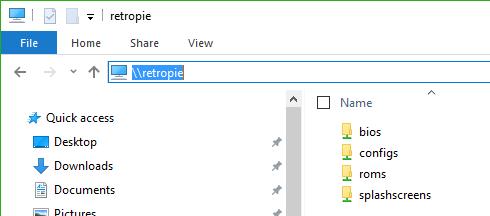
However, it turns out, it was there all the time. All I had to do to find the RetroPie was to do the following:
- Open up File Explorere
- type \retropie into the network search bar
- That’s It! A pretty basic tip, but one that has saved me a lot of heartache.
 intotheverticalblank.com
Leave a comment